How to Create Product Photos with AI for Free (Step-by-Step Guide)
Learn how to create professional product photos with AI for free, step by step. Improve your catalog photos to sell more on WhatsApp and Instagram, no studio or photographer needed.
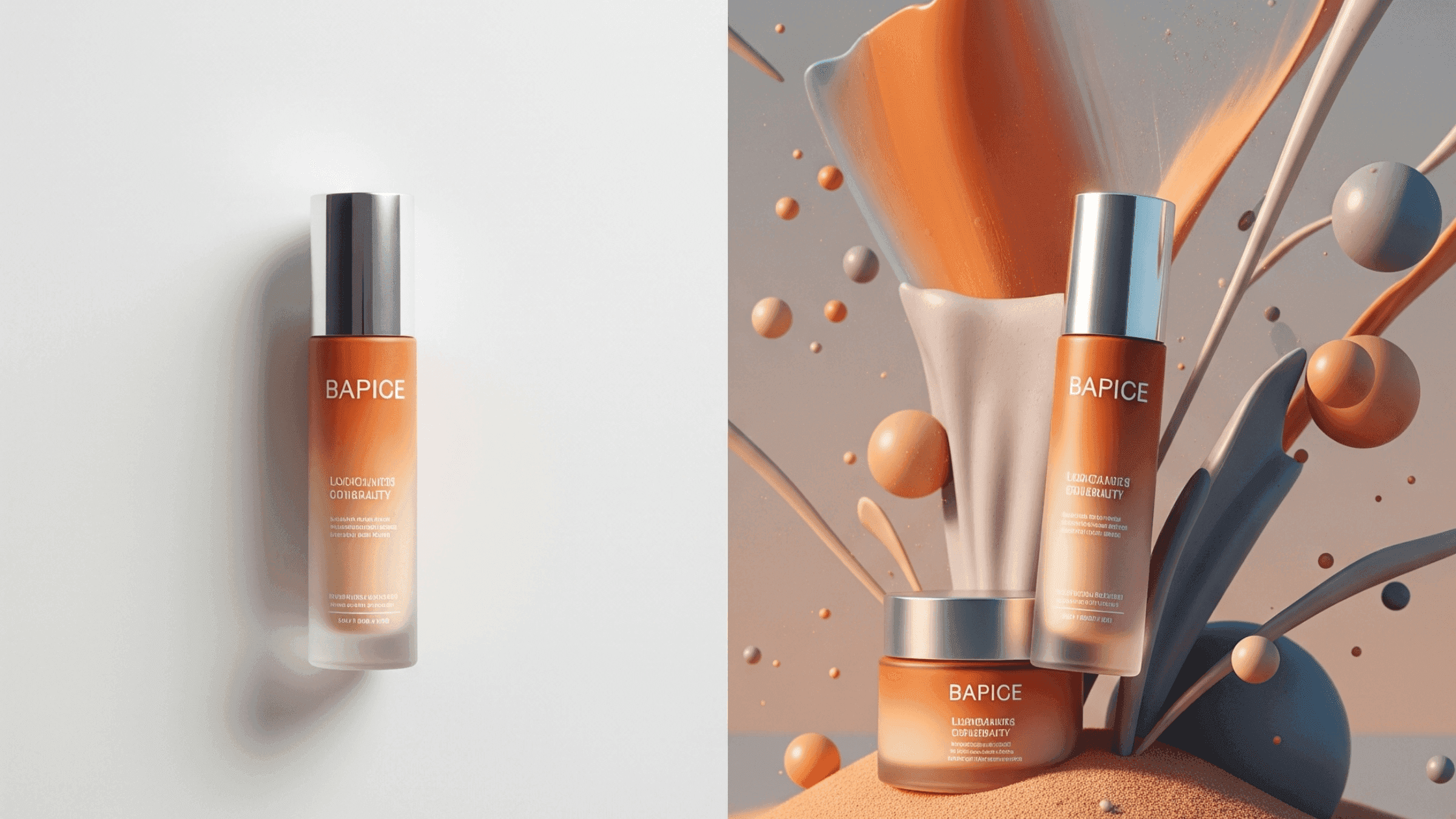
One of the first things I learned in digital marketing is that a good product image is essential for driving sales online.
You can have the best copy, the most competitive price, even a spectacular product… but if you don't show it off in that image, you've lost the opportunity.
That's why brands invest so much in product photography. But of course, not all of us have the budget or the time for professional shoots. And that's where artificial intelligence (AI) comes in.
I've been testing different free AI tools to create images that sell, and in this article I'll tell you what results I got and how you can create your own product photos with artificial intelligence too.
Today we'll cover:
- AI tools for creating product images
- How I use AI to make product photos
- When to use AI to create product photos
- Lessons learned from using artificial intelligence for advertising photos
Plus, you'll be able to download the free guide for creating your own product photos with AI (step by step)
Let's get started!
How I found AI tools to create product photos and which ones I chose
If we search “ai to create product images” on Google, we get thousands (if not millions) of pages promising to be the tool you need, but… are they really?
When I started this exploration, I always had three things set in stone. I needed the artificial intelligence tools to be free (no payment), easy to use, and to give me a good result (so you can barely tell the images were made with AI).
- Price
This was one of my non-negotiables. I wanted to find apps and AI tools that are accessible to everyone, and I had no plans to invest in memberships or subscriptions in dollars.
I knew that being free AIs, there could be limitations like a maximum number of images per day or access only to basic options, but what I need are product photos for social media or the catalog, so it worked for me.
- Ease of use
After finding those free tools, my second criterion was that they be easy to use. I needed to repeat the process with several images, so an AI that worked in just a few steps was ideal.
I also made sure the sign-up process to start using the tool wasn't too long (or, in the best case, that it didn't even ask me to register)
- The result
I could only verify this by actually using the AIs. I tried to generate product images with different options from each tool to confirm that the quality of the result was consistent.
After testing more than 20 AI product photo tools, here are the best five that met my 3 criteria.
My top 5 free AI tools for creating product images
- PhotAI
- PixelCut
- Photoroom
- ChatGPT
- Gemini/Nano Banana (super powerful!)
Here I can split these tools into two types: the ones that let you generate product images with a prompt, and the ones that let you edit your photos without prompts. Come see them in action with me.
How I use AI to create and improve product images
A lot has been said about how to generate images with AI, but when it comes to photos of your products, you need to give that starting photo to the artificial intelligence.
In other words, if you sell office chairs, you could ask the AI to make a product photo of a black corporate chair, but it would give you a very generic image. How do you make sure it's the exact model you sell?
That's why we have to start from a base image of your product. For example, I used these:
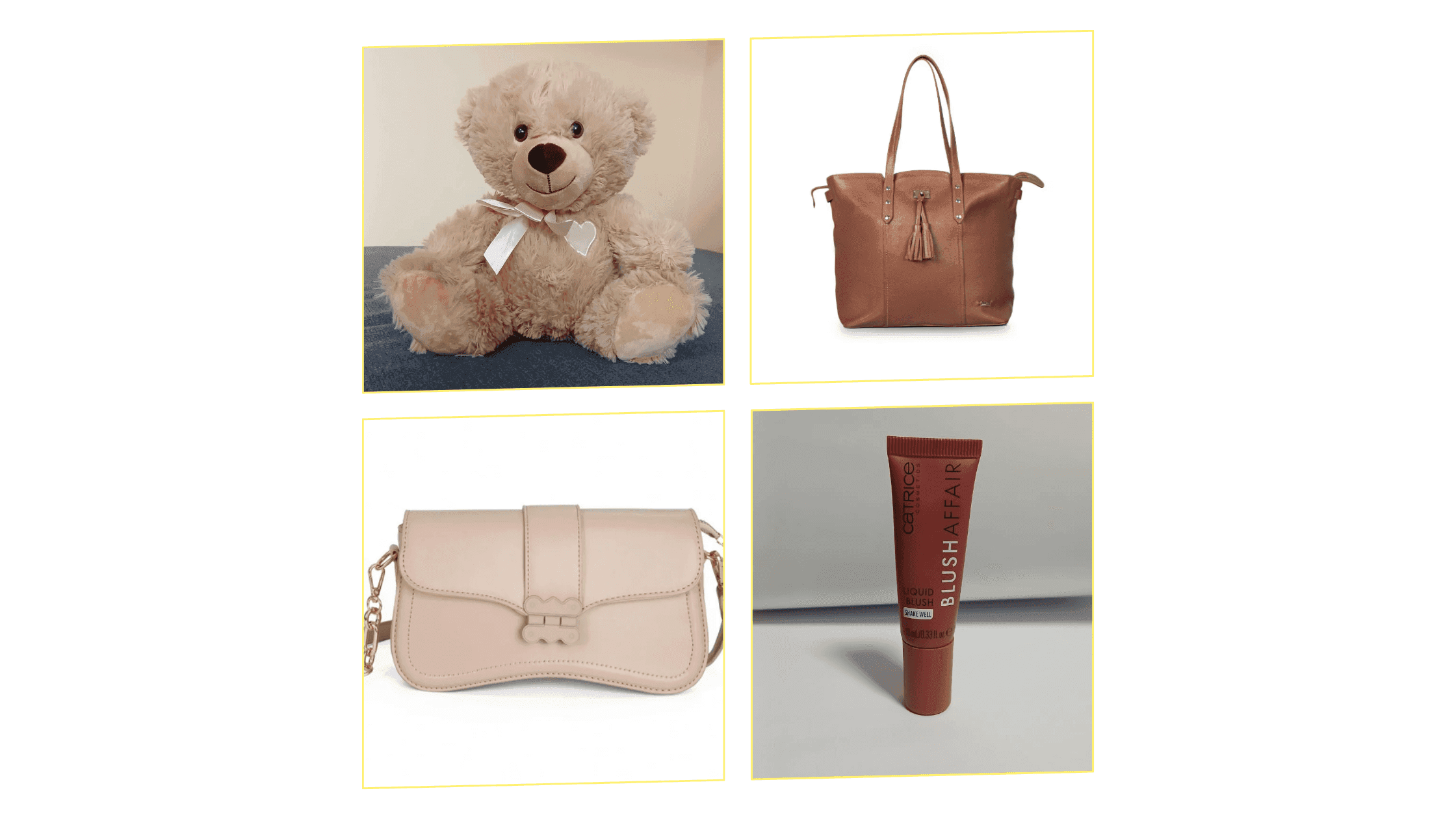
And I got to work generating good product images in these cases:
- 1Catalog photo with a white background
➡️ AI product photo tool I used: Photoroom
When you upload your base photo, the tool itself automatically removes your background so you can customize it however you need.
For this case, I needed the product to have a clean background (white) as is the standard in product catalogs or ecommerce stores. When a customer is browsing your store, you want all the focus to be on your products, and you achieve that with a neutral background like white.
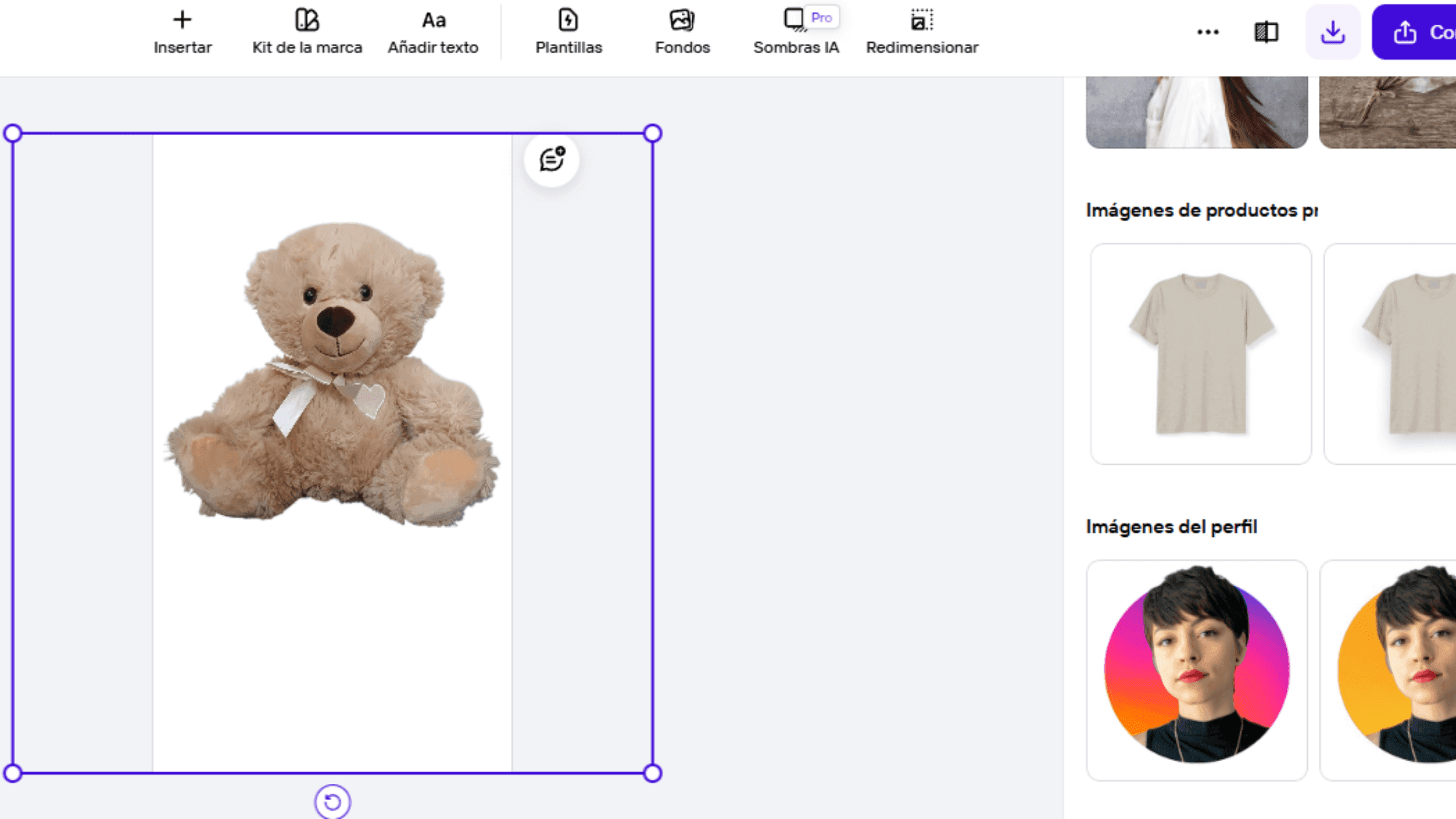
The great thing about Photoroom is that it has a template for professional product images, and your image even comes out with a shadow that adds depth to the product
Check out the before and after!
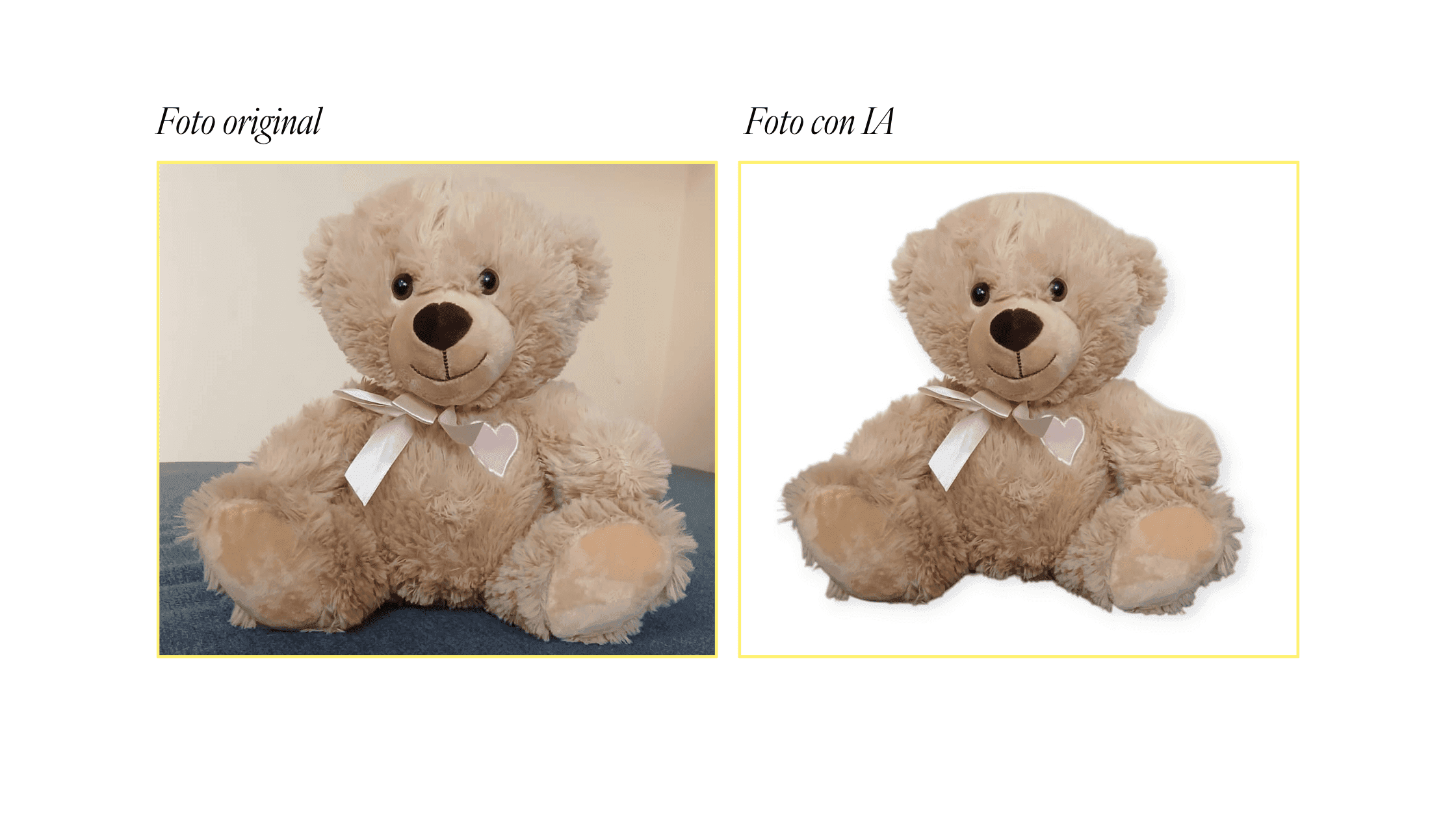
- 1Product photo with an AI-generated background
➡️ AI product photo tools I used: PhotAI and Gemini
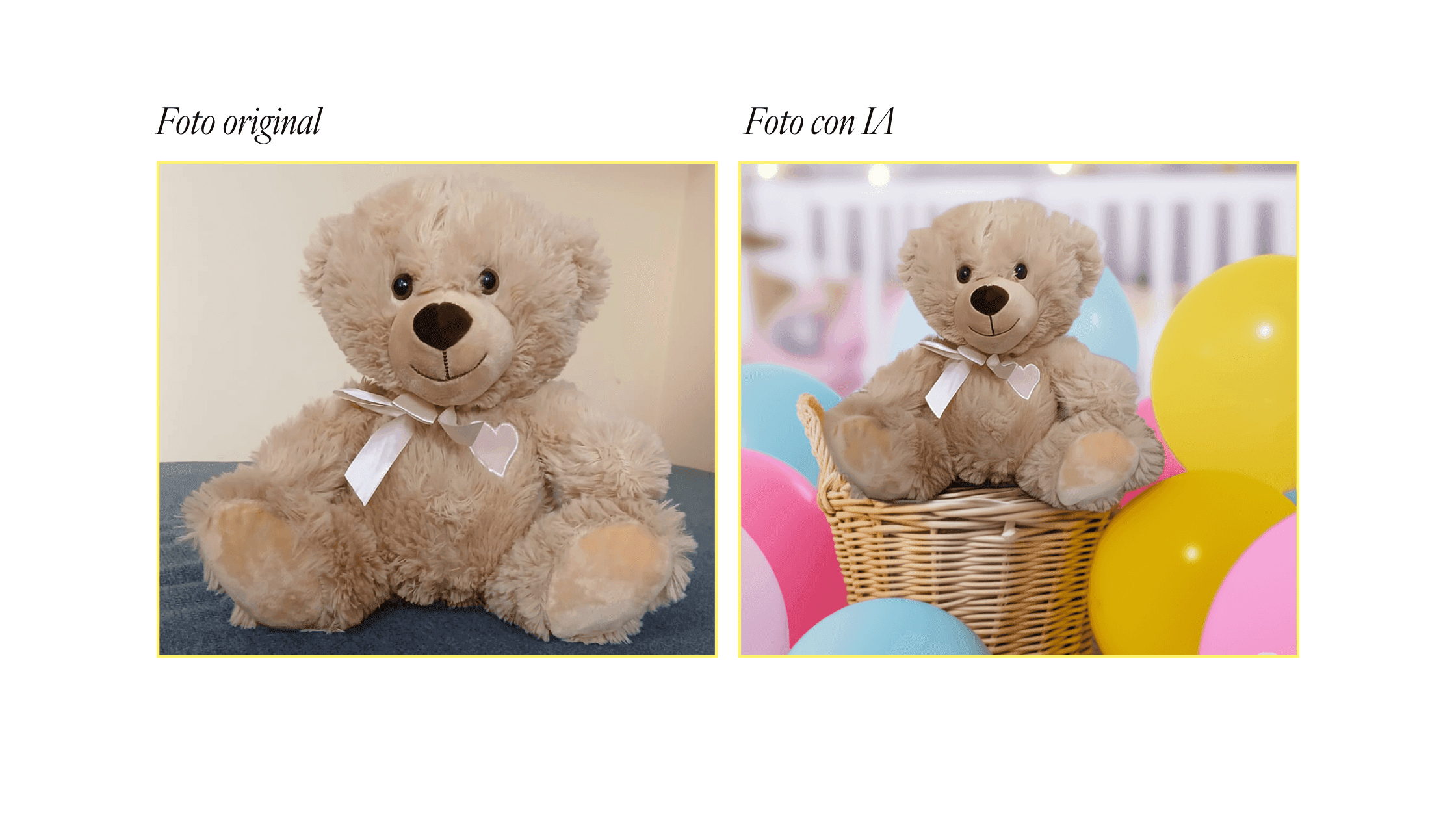
Now, what if you need a themed background for your image? Well, that can also be done with artificial intelligence. In fact, this is one of the most common uses: AI for product backgrounds.
Both PhotAI and Gemini gave me good results, and without needing to pay.
With PhotAI, I uploaded my base image, it recognized my product category, and it suggested high-quality backgrounds.
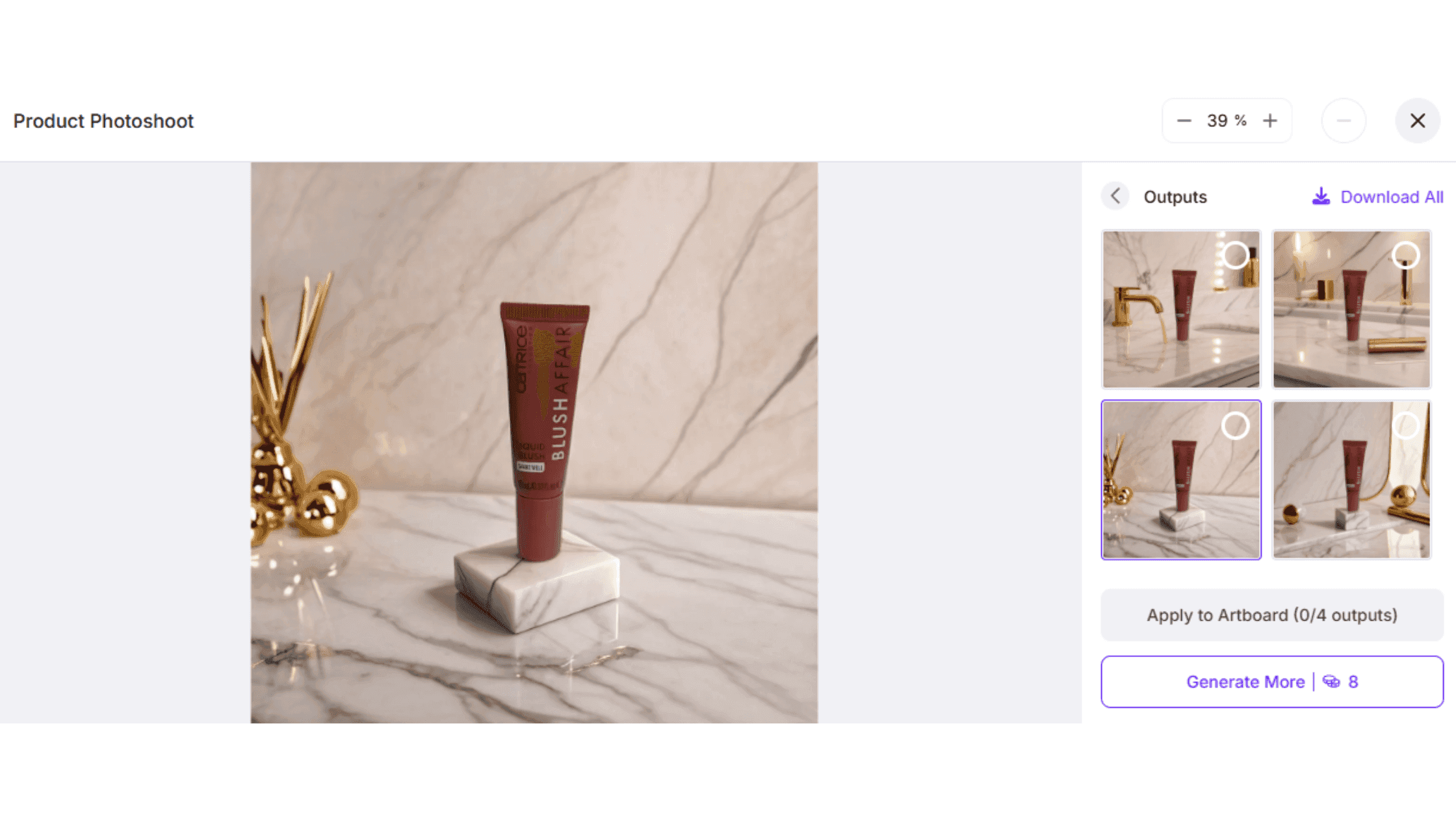
On top of that, I could pick a ready-made background or create one to my liking with a prompt.
In Gemini's case, I did have to write my own prompt, but it was totally worth it because the results were incredible. I could even make variations of the same image however I wanted.
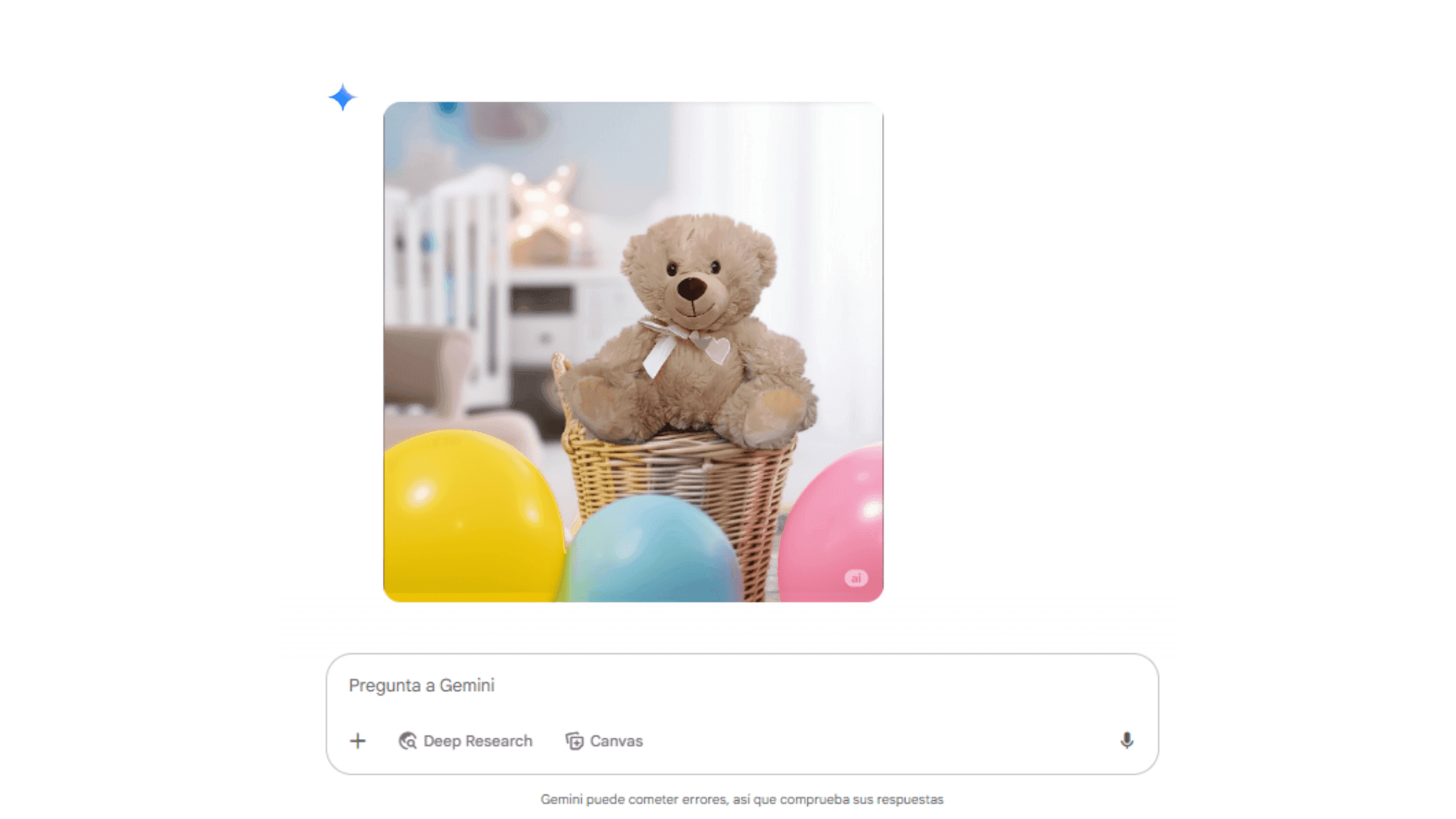
Here I show you the before and after:
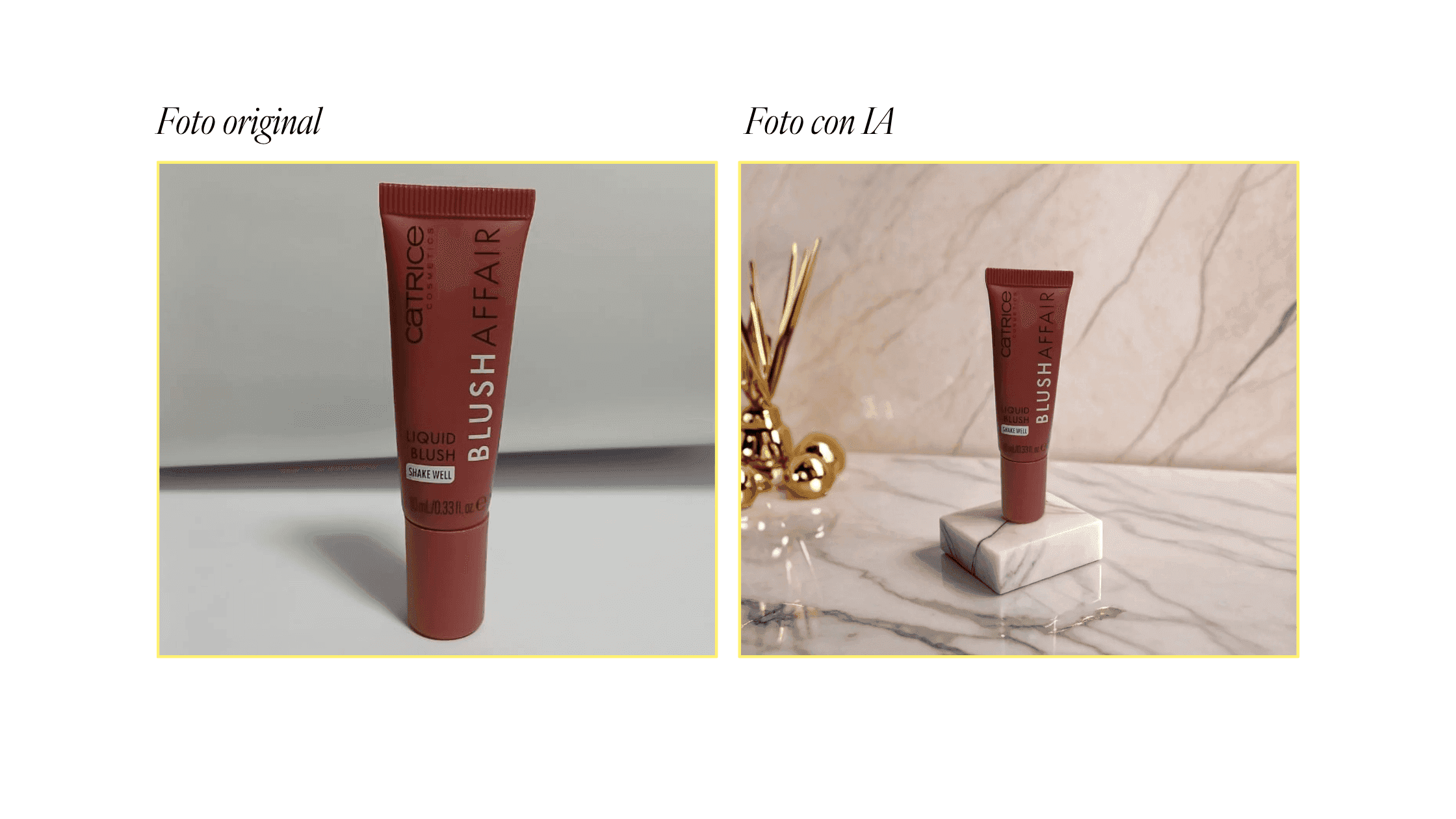
- 1Two products in one advertising image
➡️ AI product photo tool I used: Gemini's Nano Banana
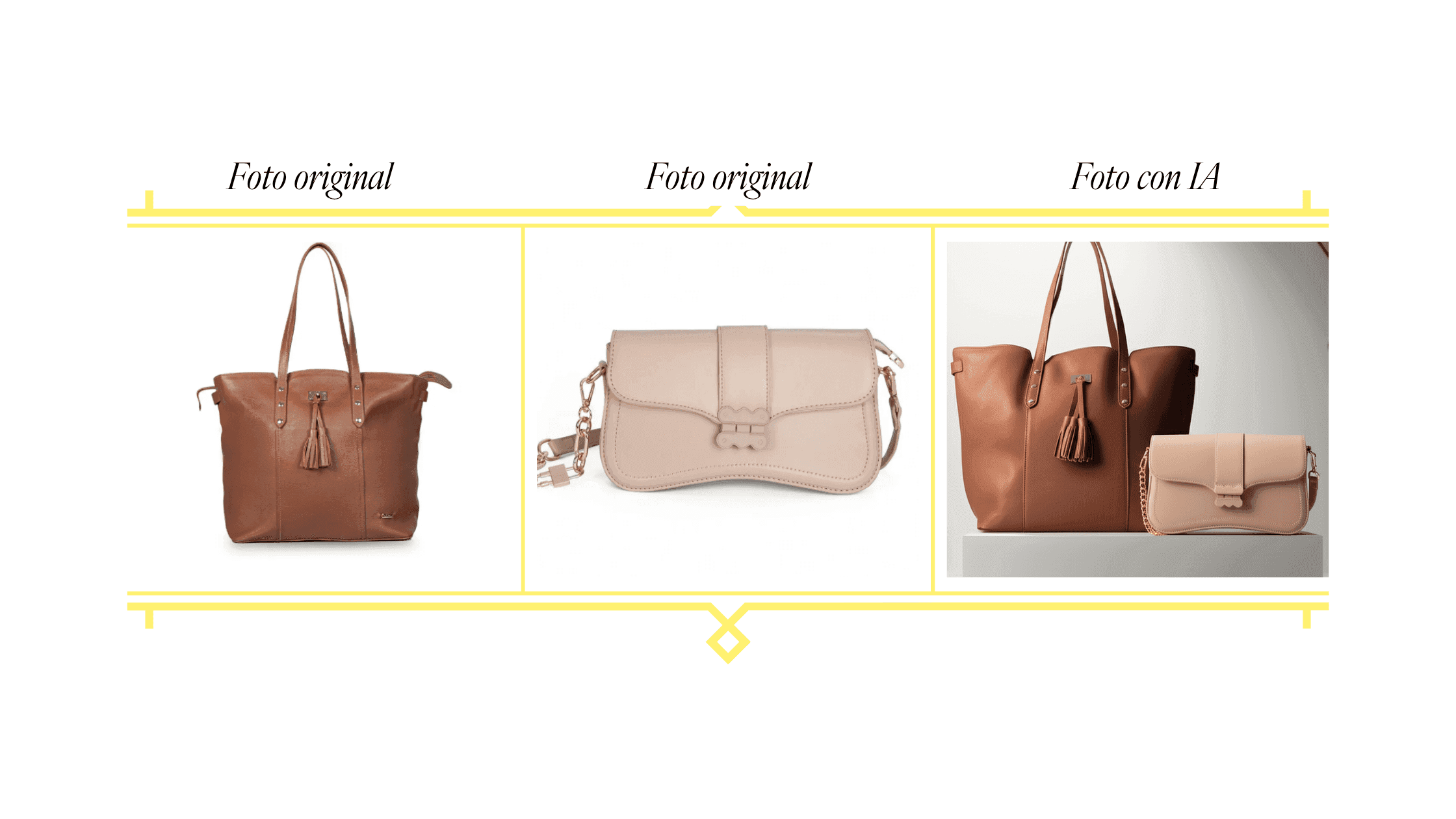
Now for the real test. I had two products I wanted to combine into a single image, and it occurred to me that AI could pull it off.
So I turned to Gemini because of the good result in the previous experiment, and it didn't let me down.
That said, I have to warn you that a lot depends on how detailed your prompt is. It took me a few tries to get it right, but the result was spectacular.
Here's the before and after:
d. Swapping a product in an advertising photo
➡️ AI product photo tool I used: Gemini's Nano Banana (my favorite!)
I wanted to go a step further to see if AI could help me get different photos of a specific product.
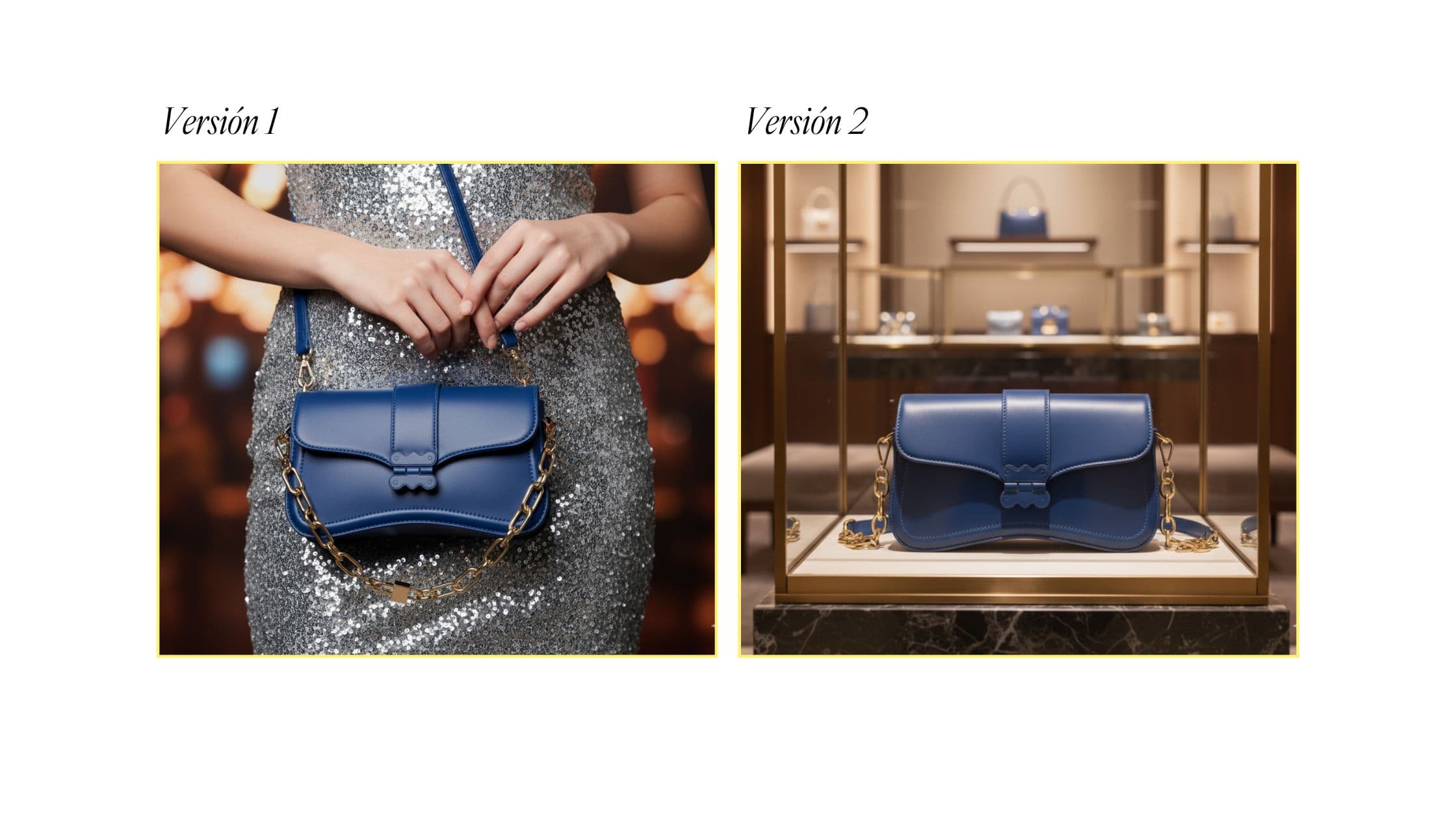
To start, I asked Gemini 2.5 Flash Image (Nano Banana) to change the color of a handbag (to mimic what it would be like to have more than one product). In my prompt, I attached the original image of the cream-colored handbag and a photo of the exact color I wanted.
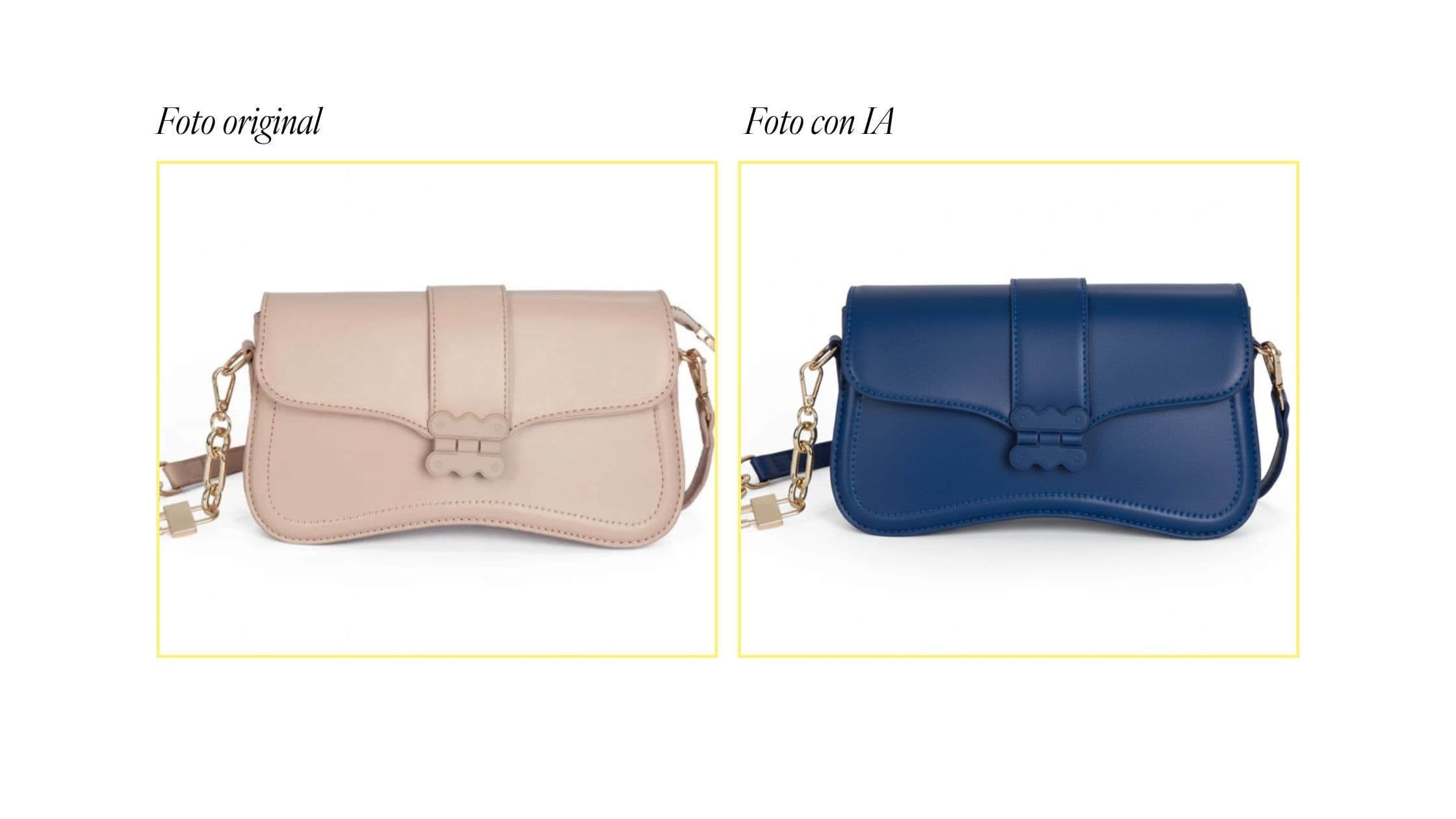
I took this new cobalt-blue handbag as my base photo. And I asked it to swap it into an advertising photo where a model was holding an existing handbag.
Look at the results:
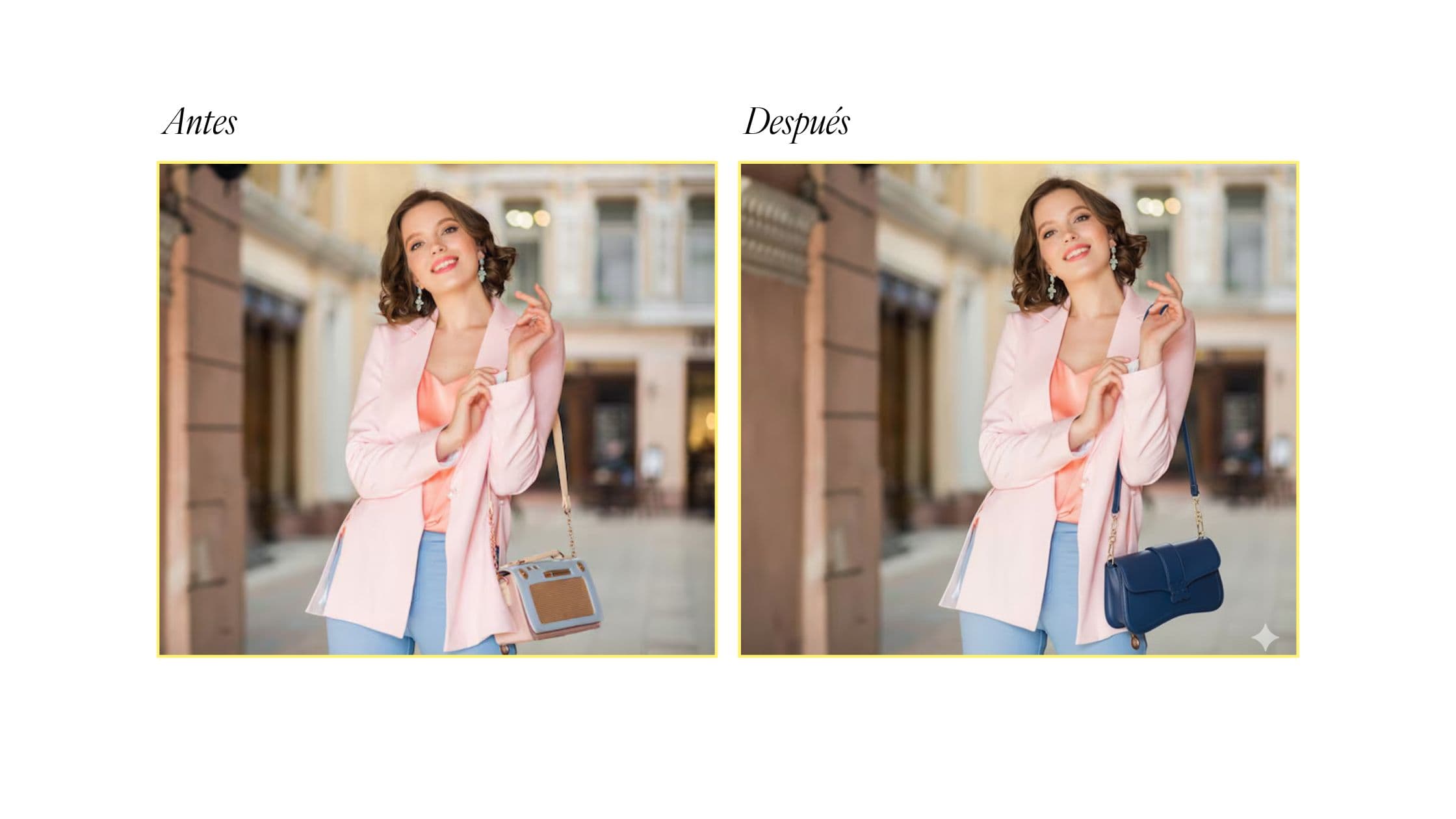
This means you can have a set of base photos from a shoot with a model and then place different versions of your product with artificial intelligence, and in seconds!
We recommend that you get the rights to the image the model appears in, or (even better) you can shoot it with your own team.
I also played around a bit with the image AI in Gemini and was able to create contextual photos for our blue handbag. Here are some extra uses to inspire you:
Download the guide: How to use AI for product photos (step by step)
It's your turn! If you made it this far, it's because you're looking for how to create or improve your product photos with artificial intelligence. And you've seen that it really is possible.
I've reviewed more than 20 AI tools, and the top 5 I selected have given me great results. Now, you can download for FREE the step-by-step process I followed to generate the product photos you see in this article and more:
You'll find:
- How should you take a base photo to use with AI?
- The step-by-step process to create your product images with AI for free.
- 9 proven prompts for product images with AI
- Recommended visual styles based on your industry
- How to use AI to generate your product descriptions (a must!)
- The uses you saw here plus additional ones with free AI tools
Lessons learned from creating product photos with AI
- The base photo is a mandatory input for generating a good image of your product. Try to take it in an environment with white light and a solid-color background.
- When using prompts, they should be quite detailed to get the result you have in mind. In the guide, I include the formula for making your own prompt.
- There are many AI tools capable of generating images. Go ahead and explore new uses on your own. Ask yourself: what do I want to improve in my product photos? And there's sure to be an AI for that.
❓ Frequently asked questions about using AI to make product photos
Can AI help with product photography?
Yes, artificial intelligence can generate realistic, attractive, and customized product images without needing a photo shoot. This is especially useful for entrepreneurs and small businesses that need professional images but don't have the budget to hire photographers or book studio sessions. It's also perfect for testing different styles and presentations before deciding which one works best for your brand.
Do I need design or photography experience to use these AI tools?
No, you don't need any prior experience. One of the great advantages of these tools is that they're designed to be accessible to anyone, regardless of their technical level.
Most AI image tools are intuitive: you just describe what you want and the platform generates it. It's as simple as writing a message. If you want more specific results, you can gradually learn what kinds of descriptions work best, but it's definitely not a requirement to get started.
Are AI-generated images suitable for advertising?
Yes, many AI-generated images can be used in ads, especially on social media or online stores. Just make sure they comply with the policies of the platform where you're going to publish them. Some may require you to label the content as AI-generated, especially when it comes to paid ads.
Do I need to provide a photo of my real product?
Some platforms let you upload an image of your real product and then generate new versions with different backgrounds, lighting, or contexts. Others work entirely from text descriptions, where you detail your product's features and the AI creates it from scratch.
Based on my experience with AI photo tools, using a real photo of your product as a base tends to give more accurate results.
Last updated: August 31
Ready to sell more with AI?
Create your free AI agent in minutes. No card. No install.
Read more

AI Agent for WhatsApp: What It Is and How It Sells for You
11 min read

WooCommerce + WhatsApp integration: 4 ways to connect your store
8 min read

WhatsApp banned my account and I never sent spam: what is happening to personal accounts and how to get yours back (2026)
12 min read